IC Markets
Compare its Raw Spread account if you plan to trade actively or run cBots on cTrader.
- Account focus: cTrader Raw Spread
- Costs to compare: variable spreads plus commission
- Check first: entity, currency conversion and overnight charges

Start with IC Markets, Pepperstone and FxPro. Compare account costs, regulation and cTrader access, then check which broker is available in your country.
Compare three cTrader account options below. Read the reviews for fees, platform features and regulation, then confirm the terms available in your country.
Compare its Raw Spread account if you plan to trade actively or run cBots on cTrader.

Explore its cTrader Razor account and compare pricing with its other platform options.

Review its dedicated cTrader account, commission structure and regional entities.
The platform is only part of the decision. Compare the company holding your money, the full cost of a trade and the account you can actually open.
Find the broker's legal company name and verify its licence on the relevant regulator's register. Protections and account availability can differ between entities using the same brand.
Look beyond the minimum spread. Include commission on opening and closing a trade, overnight financing and currency conversion. Compare the same instrument and trade size.
Check the symbols, order sizes and cTrader applications you plan to use. Test your indicators or cBots before funding an account; demo results do not guarantee live execution.
Our reviews cover regulation, cTrader availability, account options, trading costs, markets and support. This homepage offers a starting shortlist rather than a scored ranking or an exhaustive list. It does not claim that any broker is cheapest or best for everyone.
Broker terms can change. Read the detailed review and the provider's current documents for your entity before registering.
There is no single best broker for every trader. Start with providers available in your country, then compare their legal entities, total trading costs, markets and account features. The broker shortlist above links to individual reviews.
No. Brokers set their own spreads, commissions and other account charges. A low advertised spread excludes costs such as commission and overnight financing. Check whether commission is quoted per side or for both opening and closing the trade.
Many brokers offer a demo account with simulated funds. Use it to explore the platform and test your setup before deciding whether to trade live. Our cTrader download guide explains where to start.
cTrader is a trading platform, not a regulator. The broker's legal entity and jurisdiction determine the rules and protections applying to your account. Verify the company on the relevant regulator's register; regulation does not remove trading risk.
IC Markets offers a dedicated cTrader Raw Spread account with variable spreads advertised from 0.0 pips and a published commission of USD 3 per USD 100,000 traded, per side. Actual spreads and total trading costs vary by instrument and market conditions.
The account supports cTrader's advanced charting and C# algorithmic tools, including custom indicators and cBots. Start with a demo to check symbols, pricing and software compatibility, then verify the legal entity and current account terms available in your country.
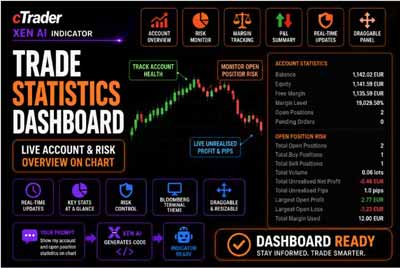
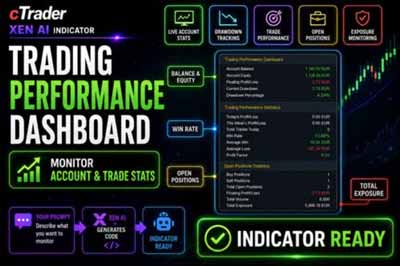
Xen AI is ClickAlgo's intelligent cTrader coding assistant. It helps traders build automated strategies, indicators, trading panels, dashboards and custom tools using simple plain-English instructions.
You can describe your idea, upload an image of a dashboard or trading panel, fix compile errors, improve existing code, or analyse backtest reports. Xen guides the process step by step so you can build, test and refine your cTrader Algo projects faster.

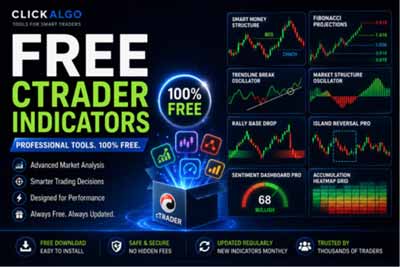
Discover free indicators and practical tools that can help you analyse your trading activity.
Access free trading strategies, technical indicators, risk-management tools and other cTrader resources developed by ClickAlgo—a specialist with over 10 years of cTrader development experience.